See your monthly mileage
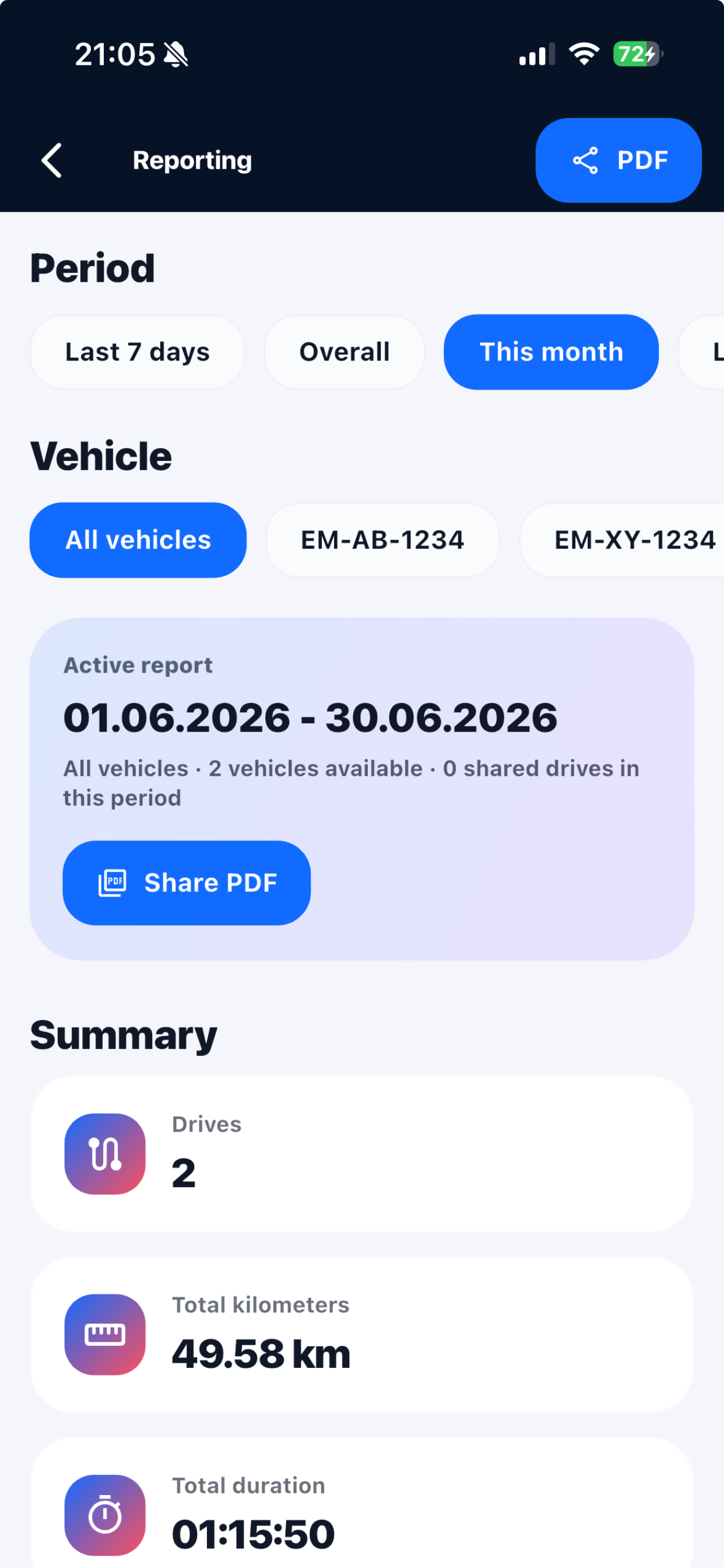
Choose a month or a custom date range in reports. View total mileage, duration and trip count for all vehicles or just one.
Personal trips · iPhone
Record personal trips on iPhone – locally and without an account if you prefer. Local data stays only on this device.
Use Routeo locally without an account or sign in optionally. Then add your first vehicle.
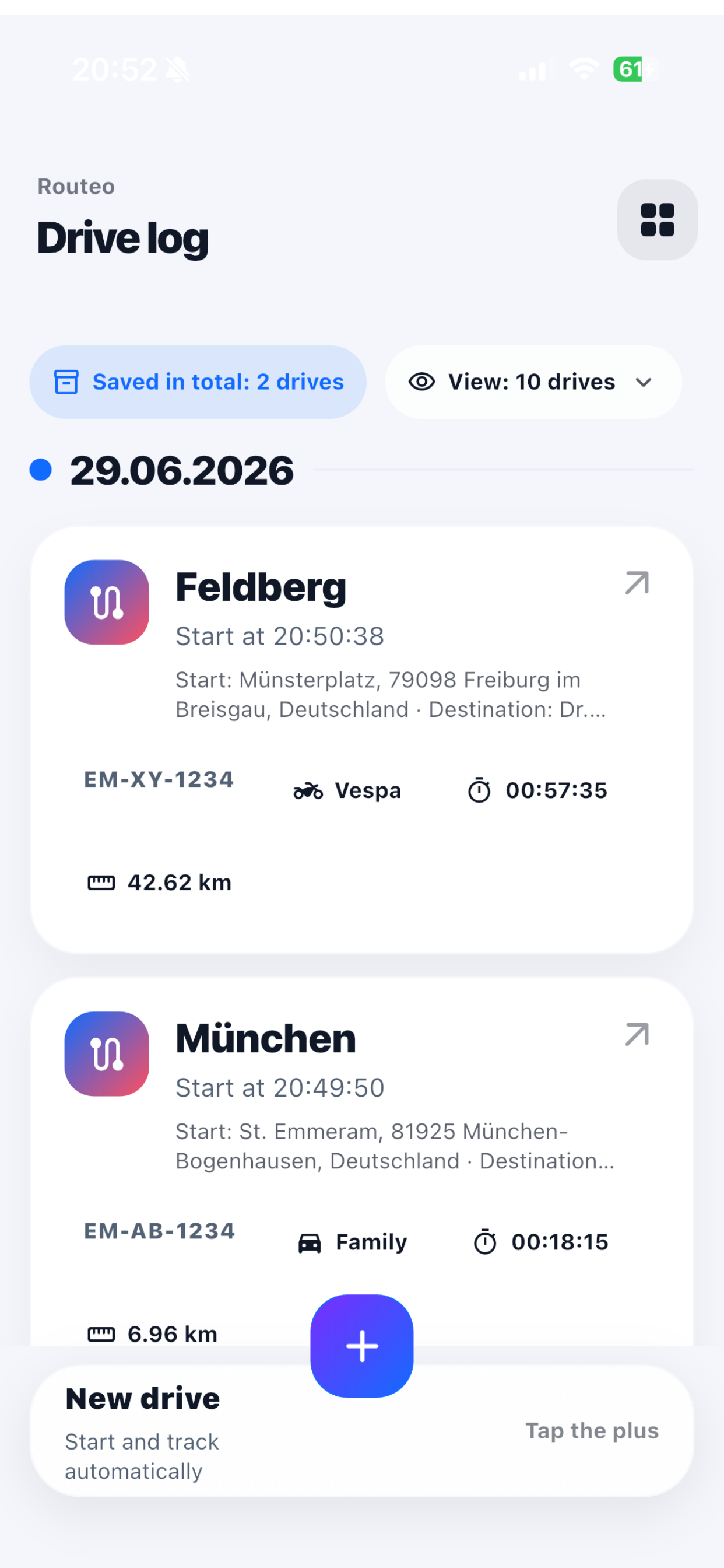
Tap the plus, choose a new trip and select your vehicle. Allow location access to record the route.
Stop recording and review the summary. Find your saved trips in the trip overview.
Choose a month or a custom date range in reports. View total mileage, duration and trip count for all vehicles or just one.
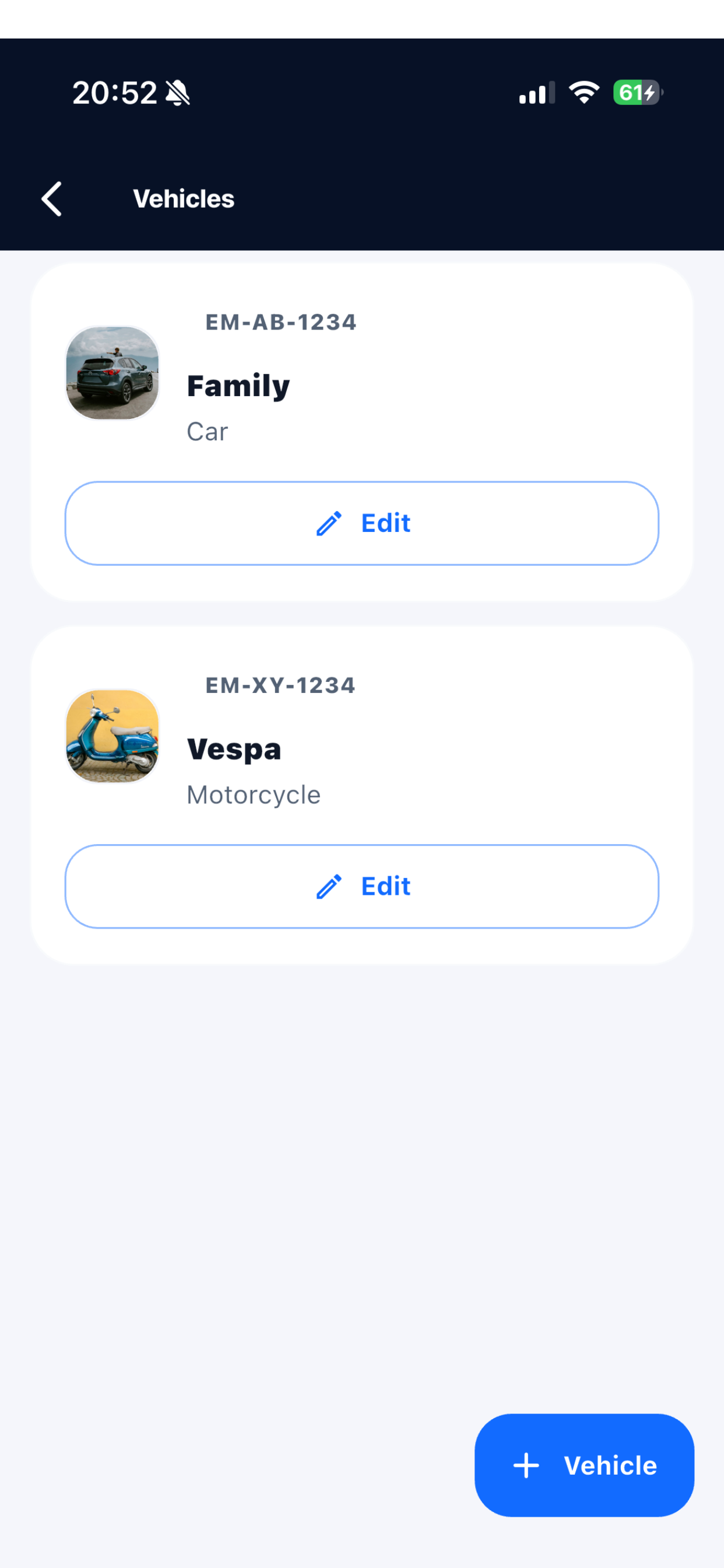
Car or scooter? Add your vehicles with names and licence plates, then choose the right one for each trip.
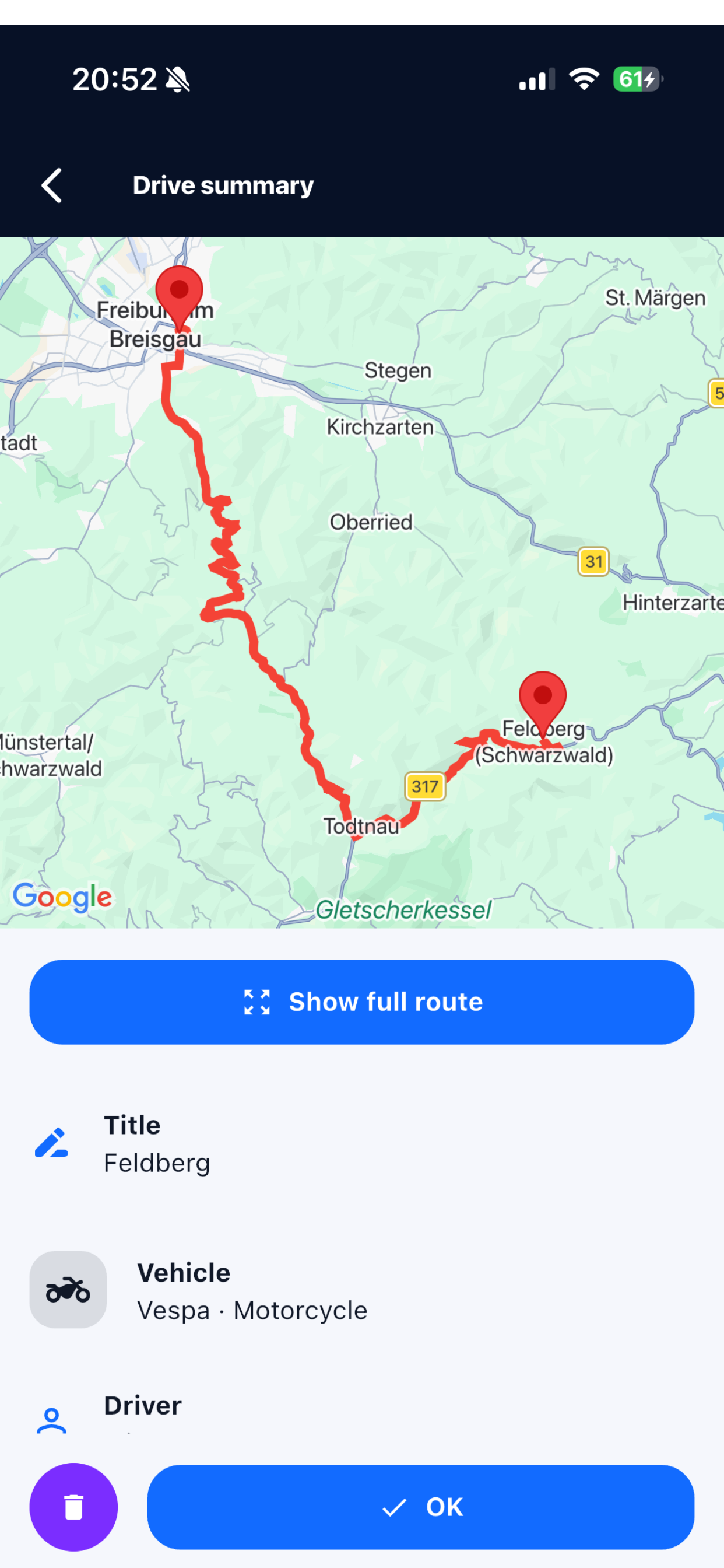
Open a saved trip to check its start, destination, duration and mileage. For recorded trips, follow the route on the map.
Routeo is free. There are currently no subscriptions or in-app purchases.
No. You can use Routeo locally without an account; your data then stays on this device and is not transferred automatically to a later account. Signing in remains optional.
Yes. You actively start recording and select a vehicle. You can add a missed trip manually later.
Routeo needs location permission to record your route. An active recording can continue in the background and while your screen is locked. Manage permissions in your iPhone settings.
Yes. Choose a date range and vehicle in reports, then share the report as a PDF.
Routeo is designed to help you keep a personal record of your private trips.
Download Routeo on your iPhone and add your first vehicle.